Two Brushes Broke. Please Don’t Sell Them to “Oops.”
Two brushes break during unloading. The shelf count is wrong, and creating a sale to a fictional customer named Oops is not the solution. Use the stock workflow to explain what happened instead of making the sales report cover for it.
Real app interface captured locally on October 26, 2026, with fictional sample data and simulated services. Arrows are annotations. The expense save was exercised only in this isolated demo; the damage form is unsaved. These images do not verify production persistence or financial processing. Click an image to enlarge.
1. Start with the actual product
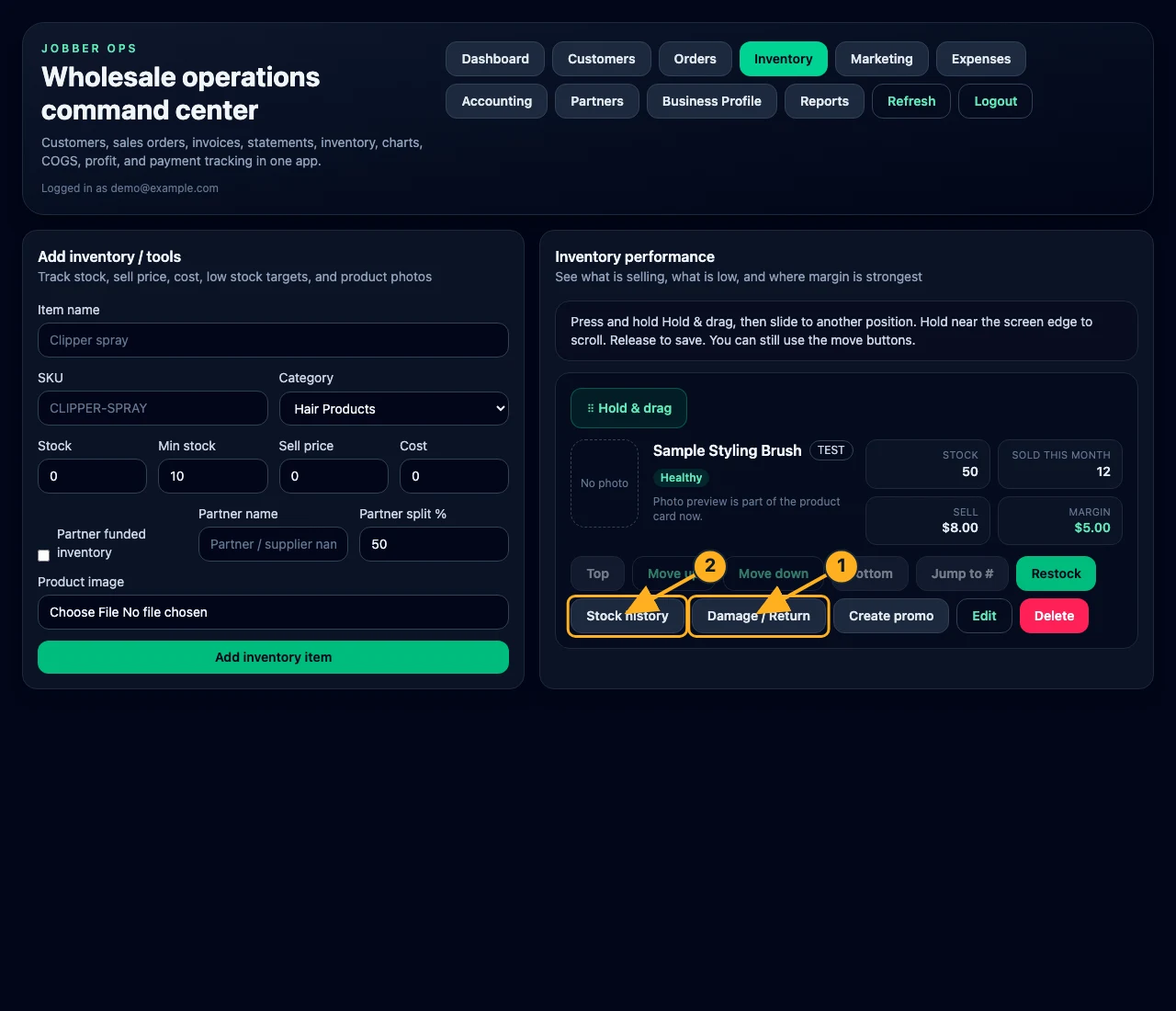
Open Inventory and find the correct product name and SKU. ① Choose Damage / Return on that product. ② Stock history is where you can review its recorded movements. The sample item is Sample Styling Brush; do not adjust a similarly named product by mistake.
2. Choose Damage, not a return
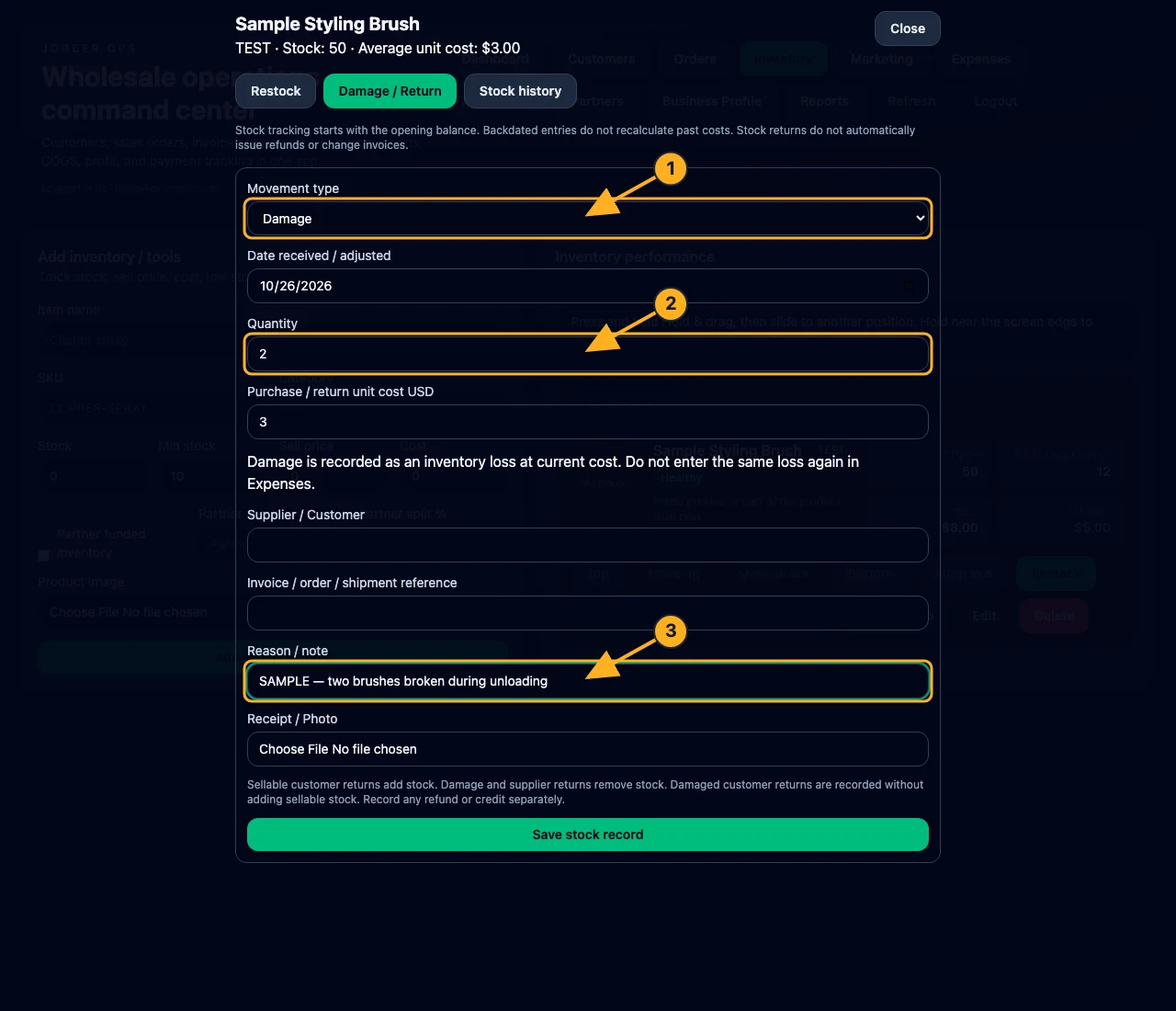
In the stock panel, ① set Movement type to Damage. Check Date received / adjusted and ② enter the damaged quantity: 2 in this example. The date cannot be in the future. ③ Add a specific Reason / note, such as two brushes broken during unloading. The screenshot shows an unsaved form.
3. Review the loss before saving
For Damage, the app uses current product cost; the unit-cost field is disabled. In this example there are 50 units at $3 cost. Removing 2 would leave 48 units and record a $6 inventory loss—not $16 based on the $8 selling price. This is a worked calculation, not a screenshot of a completed production adjustment.
4. Save and inspect the trail
After checking the product, date, quantity and note, select Save stock record. The interface switches to Stock history after a successful save. Check the movement type, negative stock change, before/after quantities and note. History also offers date filters and PDF/Excel exports. Keep the record specific enough that future-you does not need detective training.
A return is a different event
Sellable customer returns add stock; damaged customer returns do not add sellable stock. Returning goods to a supplier removes stock. Do not use these types for accidental breakage. A stock entry alone does not send a refund or rewrite an invoice. Damage is recorded as a loss at current cost: do not enter the same loss again in Expenses.
Review the correct stock record in Jobber Ops