What Did This Shop Order Last Time? A Customer Management Guide
You are about to visit a shop. Who should you call, what did they order last time, and did you leave a delivery note? Instead of guessing, open the customer record before the visit. This guide shows where to look in Jobber Ops.
Screenshots show the current app running locally with fictional sample records and simulated services. Numbers and arrows are annotations. The existing customer and order are preloaded; this demonstrates the interface, not verified production saves.
1. Add the right contact details
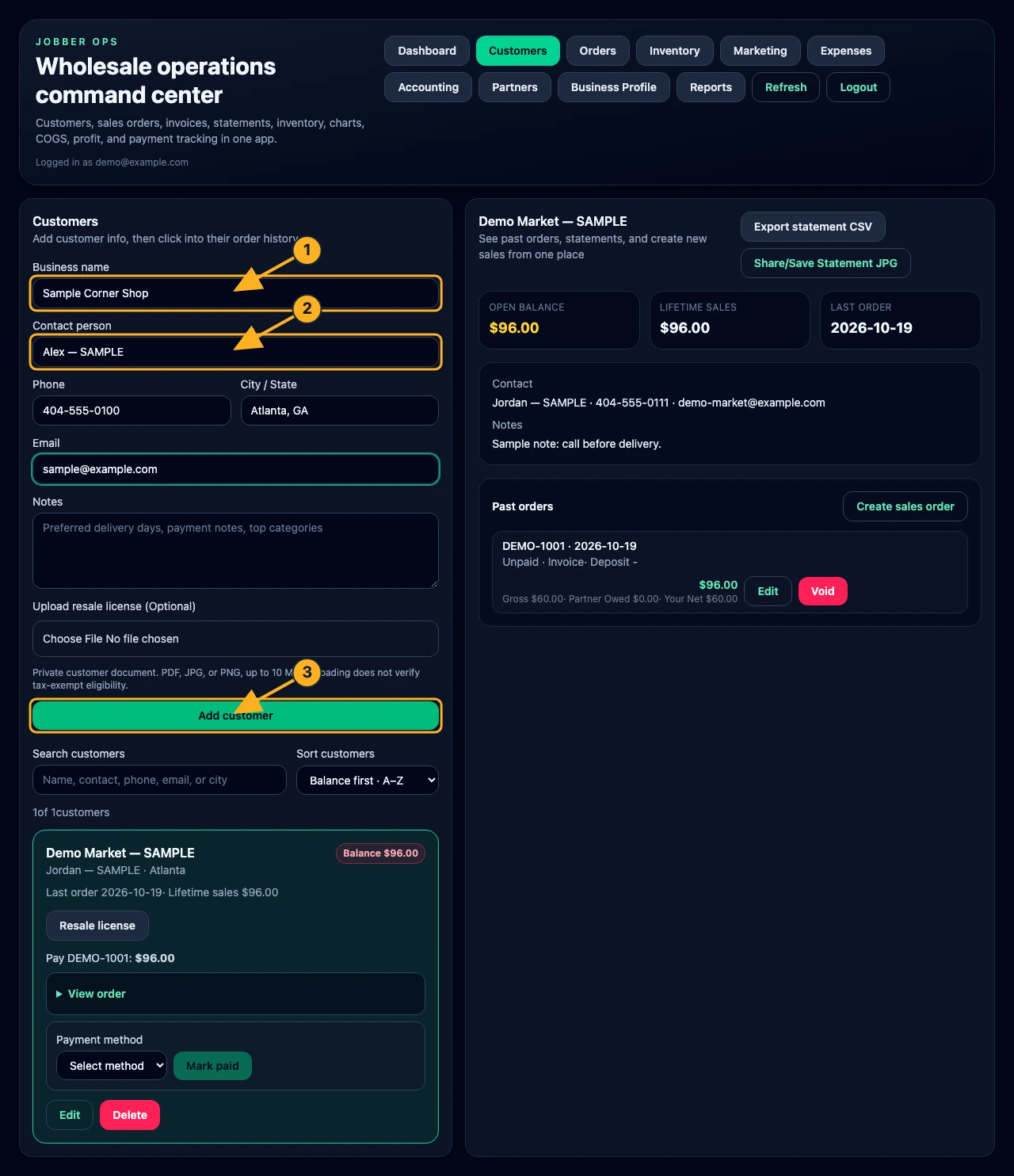
Open Customers. ① Enter the business name. ② Add the contact person, then phone, city/state and email. Use Notes for useful instructions such as calling before delivery. ③ Select Add customer after reviewing the details, and confirm the record appears in your customer list. The first screenshot shows an unsaved example, Sample Corner Shop; later screenshots use a different, preloaded customer, Demo Market — SAMPLE.
2. Find the customer before your next visit
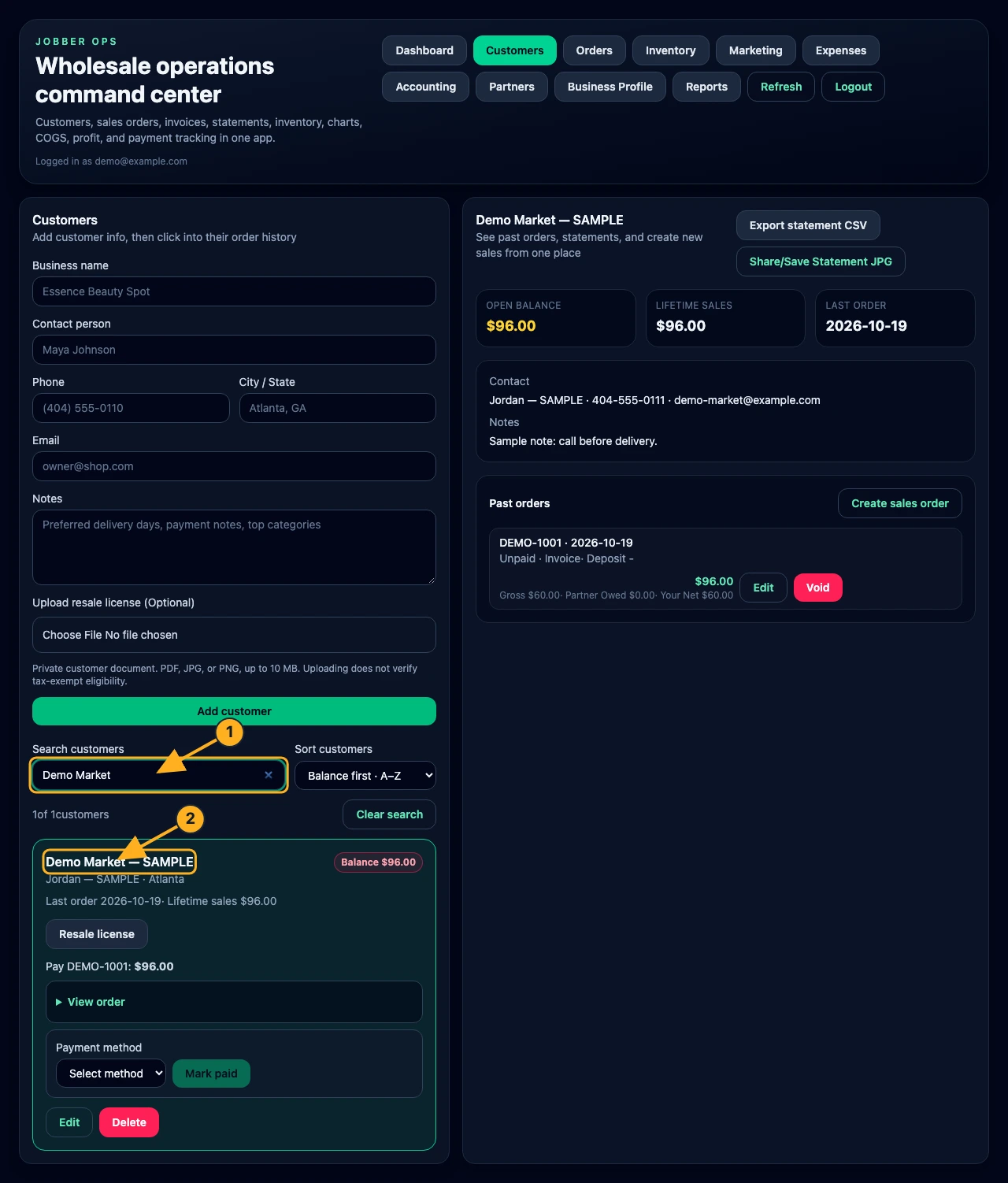
① Use Search customers to search by name, contact, phone, email or city. In this example, type Demo Market. ② Click the matching customer card to open its details. Confirm the name and location so similar shop names do not lead you to the wrong record. Use Edit on the customer card when contact information changes.
3. Review notes and past orders in one place
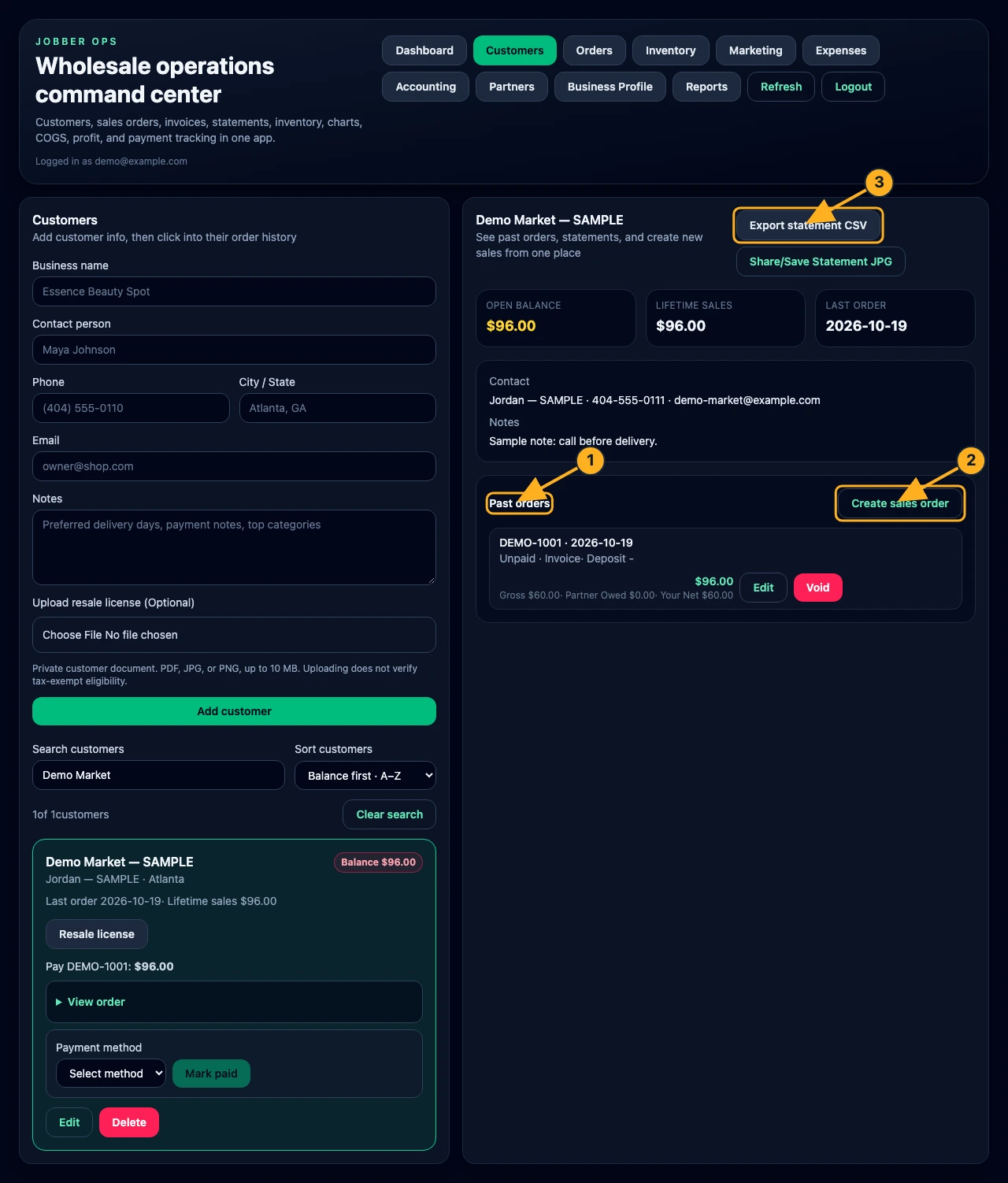
The detail panel shows Contact, Notes, Open balance, Lifetime sales and Last order. ① Review Past orders for the order number, date, status and total. The sample DEMO-1001 is an unpaid $96 order; it is not a real customer balance. ② Create sales order opens the order workflow for a new sale—check the selected customer and cart before saving. ③ Export statement CSV is available, with Share/Save Statement JPG beside it. Check the customer and contents before sending a statement.
Before you leave: confirm the contact, read the note, and review the previous order. These records reflect the information entered in the app; a displayed balance is not a bank reconciliation or proof of payment. Customer records are shop/contact profiles, not customer login accounts.
Explore Jobber Ops