Wholesale basics · Invoices & receipts
Create and export invoices or receipts on the spot
The customer has picked the products. You have agreed on the quantities. Then comes the question: “Can you send me a copy?”
For a wholesaler or jobber visiting shops, the paperwork should fit the sale—not become a separate job when you get home. Jobber Ops lets you create a customer order, open the saved record, and export its invoice or receipt as a JPG image or PDF. There is also a Print invoice option when you need a paper copy.

Invoice or receipt: which one should you send?
An invoice documents what you are billing the customer for. A paid receipt acknowledges payment received. The choice should follow the actual transaction, not just the file format the customer prefers.
For example, if a shop orders 12 units at $10 each, the merchandise total is $120 before any applicable discounts or tax. If payment is still due, send the invoice. If you have received the full payment and recorded it accurately, prepare the receipt. These figures are an example, not product prices or a Jobber Ops offer.
How to create the order and export the document
- Check your Business Profile. Save the business details you want on your documents. Jobber Ops uses this profile for invoice and receipt exports.
- Create the customer order. Select the correct customer, add the products, and review quantities, prices, and any applicable adjustments before selecting Create order.
- Open Saved orders & invoices. Use Search orders by store to find the customer or order number. Check that you opened the right sale.
- Review payment details. Make sure the saved status reflects what actually happened. Do not issue a full paid receipt merely because the export button is available.
- Choose the export. Use Share/Save JPG Invoice or Share/Save JPG Receipt for an image. Use Download PDF Invoice or Download PDF Receipt for a PDF document.
- Check the finished file, then share it. Confirm the customer, order number, item quantities, total, and payment wording before sending the copy.
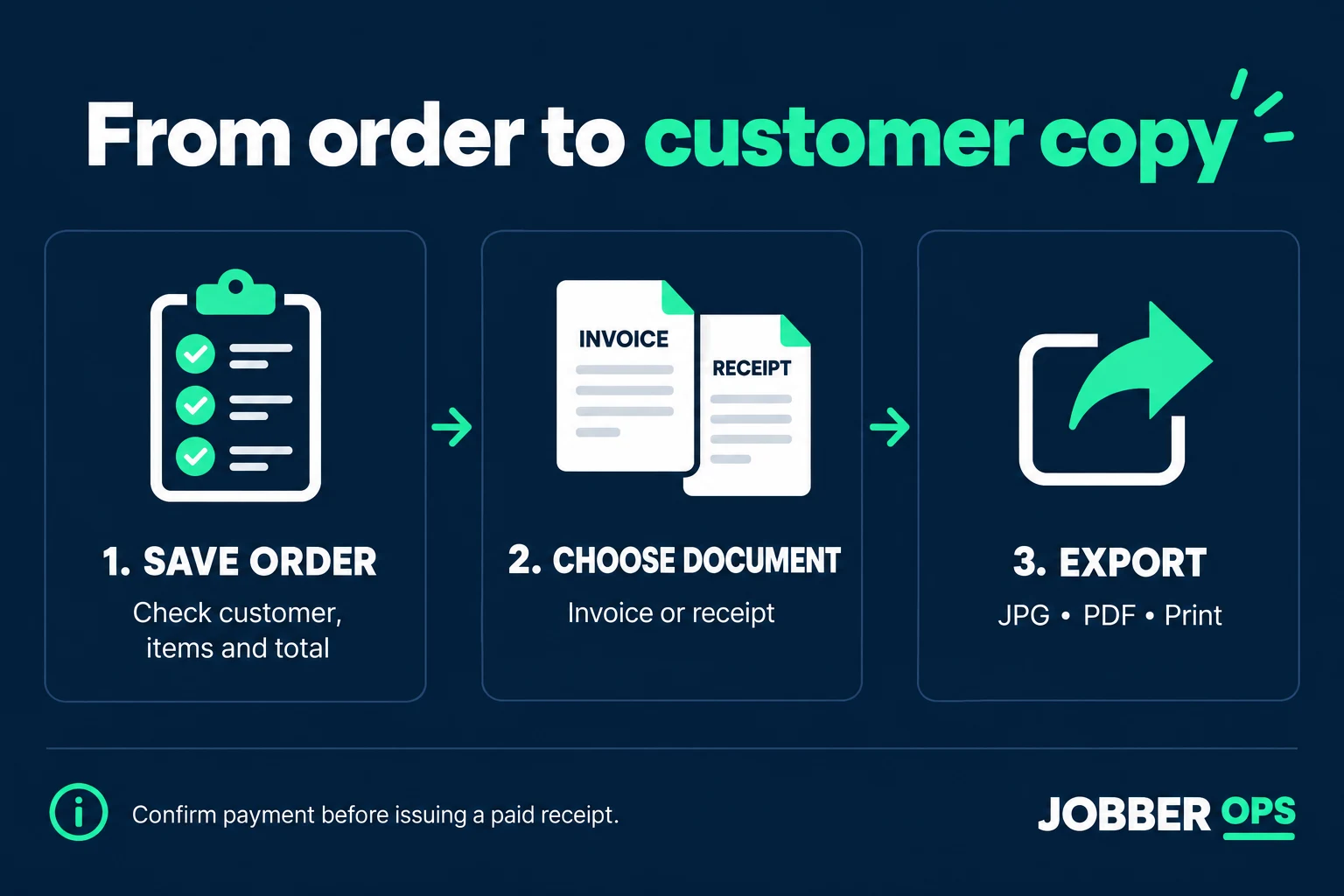
JPG, PDF, or print?
| Option | When it is useful | Button in Jobber Ops |
|---|---|---|
| JPG image | A customer wants an image they can view in a message. | Share/Save JPG Invoice or Receipt |
| PDF document | A customer wants a document to file, email, or print. | Download PDF Invoice or Receipt |
| Print invoice | You have a suitable printer available. | Print invoice |
JPG sharing depends on your device and browser. Where file sharing is supported, Jobber Ops opens the device’s share flow. Otherwise, it provides an image preview with a download option. Choose the recipient or save destination yourself; exporting does not automatically send the file to the customer.
For a long order with many lines, a PDF may be easier for the customer to keep as a document. Always check that the finished export includes the intended order details before sharing it.
A simple routine for every shop visit
Before leaving the counter, check three things: the saved order matches the products agreed on, the payment record matches what you received, and the customer has the correct document. This gives both sides a clear reference for a later question about the sale.
Keep customer documents separate from your internal reports. Jobber Ops also has an Owner CSV action, but it is labeled for the owner; use the invoice or receipt controls when preparing the customer’s copy.
Common questions
Can I save an invoice as a JPG instead of a PDF?
Yes. The saved order includes Share/Save JPG Invoice. Receipts have their own JPG action as well.
Do I have to create a second order to export another format?
No. Open the existing saved order and choose the required export. Do not duplicate the sale just to get a different file type.
Does generating a receipt mark the customer as paid?
The export is not payment verification. Check and update the payment record separately based on the money actually received, then review the document before sharing.
Can I print an invoice?
Yes. Print invoice opens a printable invoice. Printing still depends on your browser and available printer.
Finish the sale with a clear customer copy
Record the order while you are with the customer, choose the right document, and export the format they need.
Explore Jobber OpsRelated guide: How restocking changes your average inventory cost.