Your Glove Box Is Not an Expense Tracker
That receipt between the sunglasses and yesterday’s snack wrapper is not an accounting system. Record the expense while you still remember what it was for. Here is a simple packaging example you can follow after a delivery run.
Real app interface captured locally on October 26, 2026, with fictional sample data and simulated services. Arrows are annotations. The expense save was exercised only in this isolated demo; the damage form is unsaved. These images do not verify production persistence or financial processing. Click an image to enlarge.
1. Record the purchase, not a mystery
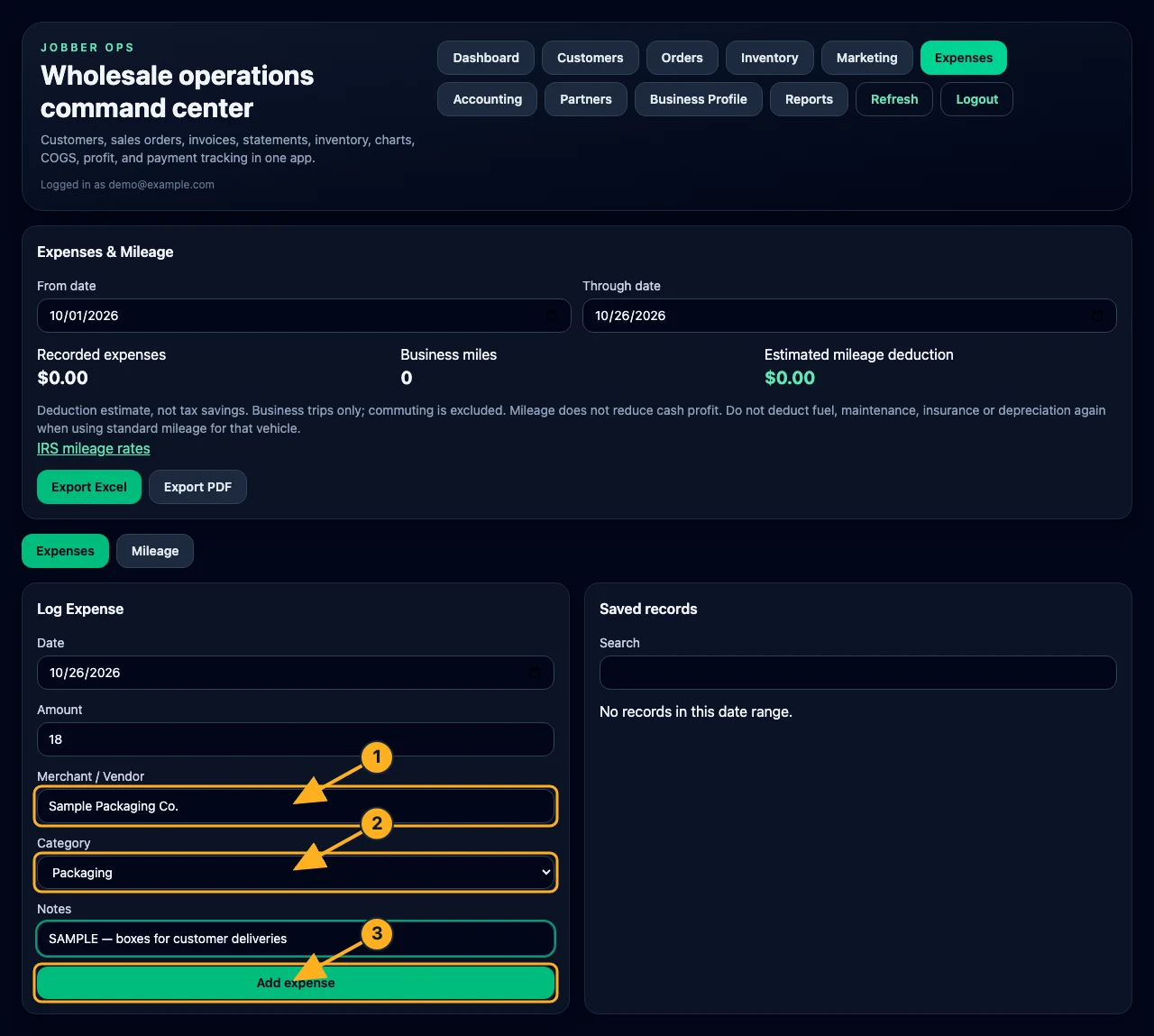
Open Expenses and stay on the Expenses tab. Enter the purchase Date and Amount. In this example, the amount is $18. ① Enter Sample Packaging Co. under Merchant / Vendor. ② Choose Packaging under Category and add a useful note: boxes for customer deliveries. Sample names are fictional.
2. Save once and check the result
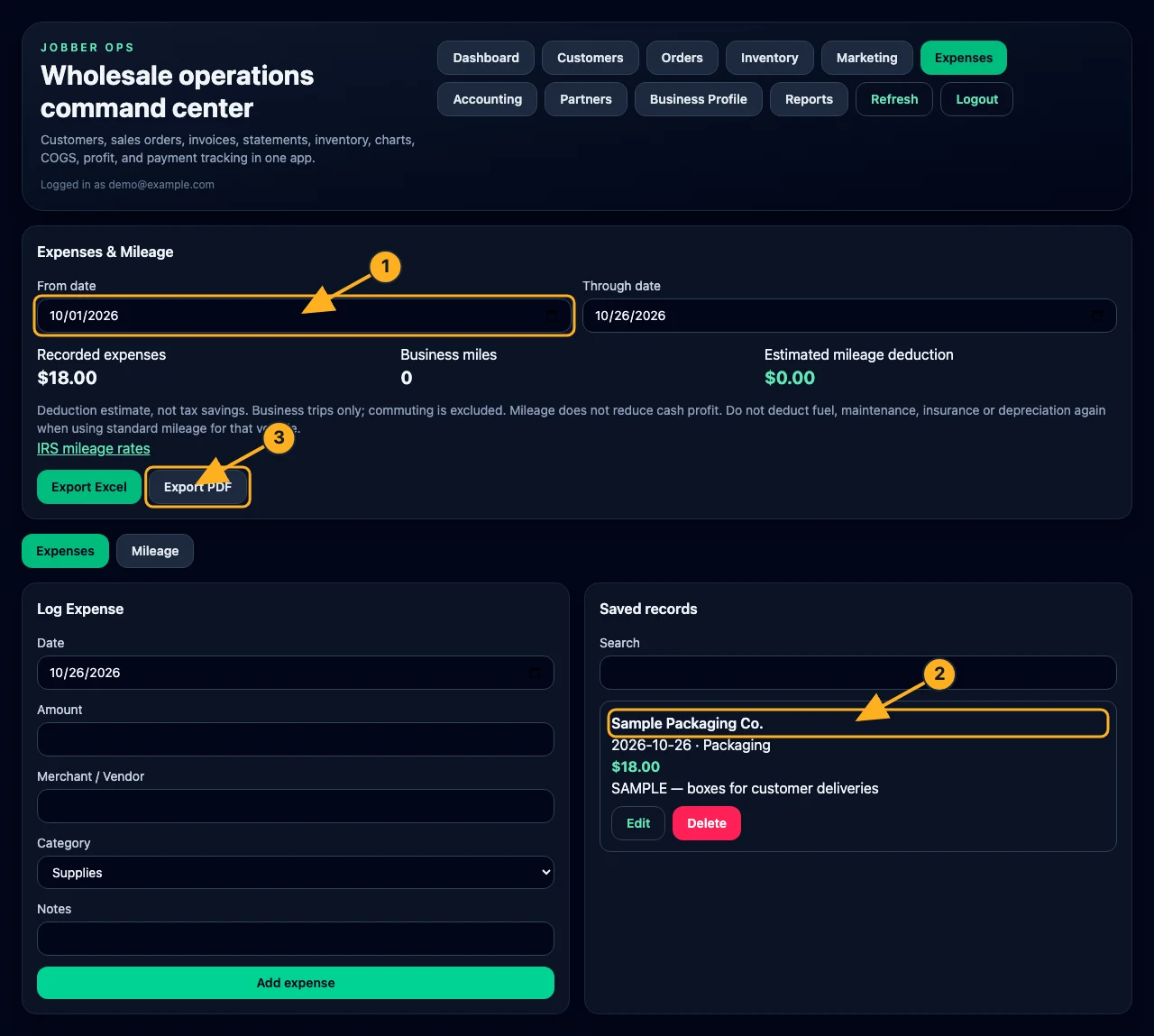
③ Choose Add expense. Look for the merchant, date, category and $18 amount under Saved records. The second screenshot shows this step completed in the isolated demo, not in a production account. If you notice a typo, use Edit on that record and Save changes instead of creating a second expense.
3. Missing record? Check the dates first
① From date and Through date control the displayed period. Search can narrow the visible records by merchant, category, trip, vehicle or notes. ② Confirm the saved merchant and amount. A record outside the period can disappear from view without being deleted. Before entering it again, check the filters—duplicate expenses are not a loyalty program.
4. Export a useful handoff
③ Export PDF or use Export Excel for the selected date range. The export includes summary, expenses and mileage tables. Search narrows the on-screen list, but the export uses the date range, not just the search matches. Open the file and check its period and contents before sharing.
Keep the evidence too
Keep the original receipt separately; typing an expense does not attach a receipt in this form. Recorded expenses and estimated mileage deductions are separate figures. Enter genuine business costs once, and avoid re-entering a stock damage loss that the stock workflow already records. A tidy record beats a glove-box excavation every time.
Record your next expense in Jobber Ops