One Product. Two Entries. Which One Can You Delete?
You add a product, get interrupted, and add it again. Now the inventory list has two entries for one item. Deleting the wrong one could remove the record your past orders depend on. The first question is not “Which button removes this?” It is “Which entry is actually unused?”
Screenshots show the current Jobber Ops interface running locally on October 29, 2026, with fictional sample products and simulated services. Archive, Restore and deletion were exercised in that isolated demonstration. These screenshots are not records of live customer transactions.
Check the record, not just the matching name
Compare the product names, SKUs and quantities. Check Stock history and the relevant orders. Two similar names do not prove that one entry is disposable: the records might represent different variants or hold different transactions. Identify the entry you want to keep before touching the duplicate. The example here is a fictional zero-stock duplicate, not a real customer product.
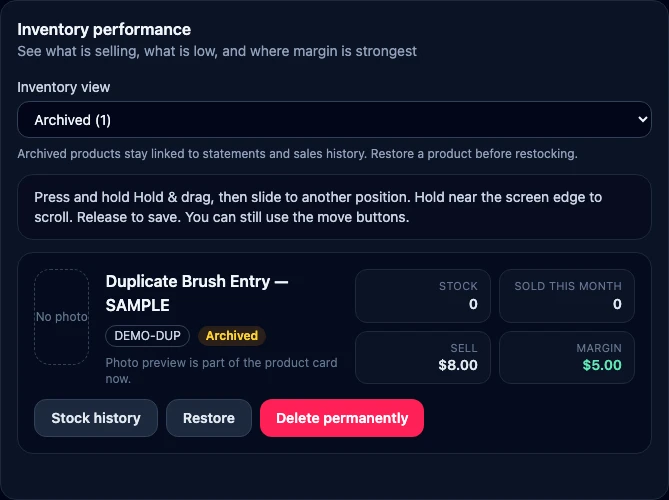
The safe deletion path
Open Inventory and find the unwanted entry. If it is active, tap Archive and confirm. Then choose Inventory view → Archived. Find that same entry, tap Delete permanently, and read the confirmation. Cancel if you are unsure. If the backend checks pass, the product disappears from Archived. Unlike Restore, there is no undo button for permanent deletion.
Why the app may refuse
Permanent deletion requires an archived product with zero recorded stock and no recorded monthly sales. Jobber Ops also checks for linked orders—including voided orders—stock financial records, expenses, partner payouts, partner assignments and partner shipment or entry references. Genuine stock activity blocks deletion too. An empty initialization record can be removed, but a nonzero initial stock entry is not an empty record. These checks protect business records; they are not a sign that Archive failed.
What if the duplicate was created with a quantity?
A mistaken product entry with an opening quantity will not qualify for ordinary permanent deletion, even if you never sold it. Do not invent a sale or damage event just to force it through. Keep it archived and have the exact duplicate reviewed, along with the entry you are keeping and any linked records. Archive can hide it immediately while preserving the evidence needed to correct the mistake.
Duplicate product and duplicate restock are different mistakes
A duplicate product creates a second inventory record. A duplicate restock adds stock twice to the same record. Deleting a product is not the right way to undo an accidental restock. Review the original product’s Stock history and the available Undo restock action instead. Automatic undo is subject to its own checks, including whether later stock activity has occurred.
Check what remains
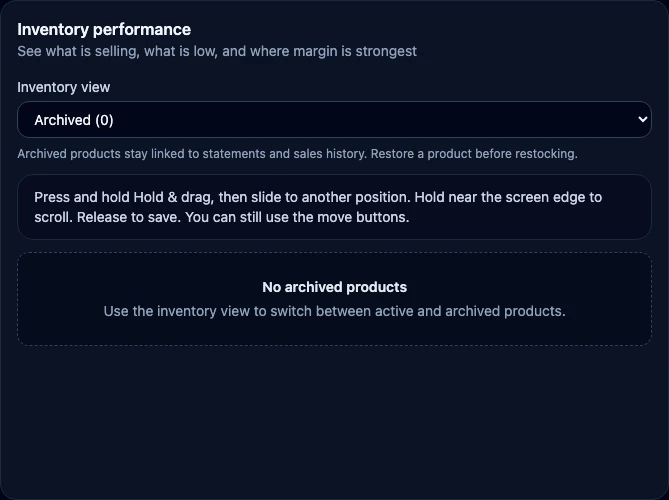
After a successful permanent deletion, confirm the unwanted entry is absent from Archived and the product you intended to keep still has the expected quantity. Our local demonstration removes only the unused zero-stock sample entry. A real product linked to business history should remain archived rather than being erased simply because its name looks familiar.
Related guide: Still in Stock. No Longer in Your Way.
Open Jobber Ops and review your inventory records