Still in Stock. No Longer in Your Way.
You open inventory to find one product and scroll past last season’s clips, a discontinued line, and an item you have no plans to restock. The products are real. The extra scrolling does not need to be permanent. Archive lets you tidy your working list without pretending those products never existed.
Screenshots show the current Jobber Ops interface running locally on October 29, 2026, with fictional sample products and simulated services. Archive, Restore and deletion were exercised in that isolated demonstration. These screenshots are not records of live customer transactions.
Archive is a visibility change—not a stock adjustment
In Jobber Ops, you can archive an item even when stock remains. Archiving hides it from the active inventory list and new-order product picker. It keeps the product record, recorded quantity, cost and stock history. Existing order records remain saved. You do not need to sell the balance, record fake damage or change the quantity to zero just to remove a product from the everyday list.
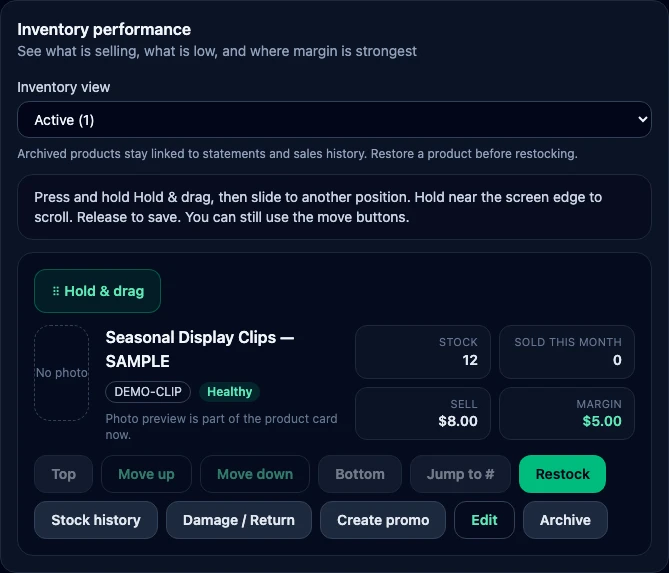
A simple example: twelve units, less clutter
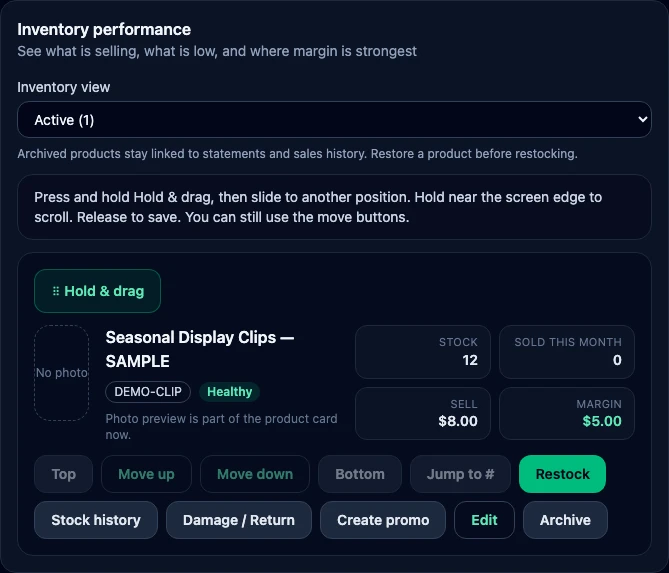
Our fictional Seasonal Display Clips item has 12 units. We want it out of the active list, not written off. After Archive, its archived card still shows 12. After Restore, the active card still shows 12. No sale, return or restock is created by either action. This is useful when a seasonal line is on pause or an item is no longer part of your current selling range.
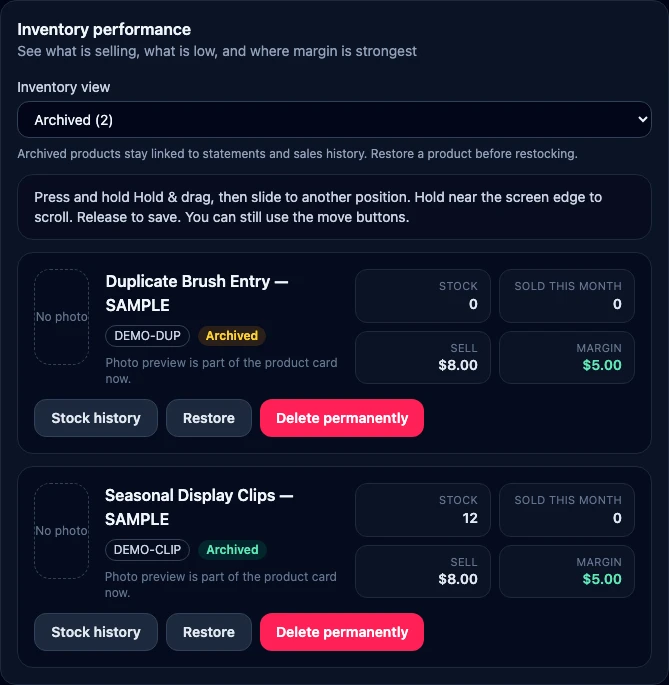
How to archive the item
Open Inventory; on a small screen, use Setup to reach the inventory section. Keep Inventory view set to Active. Find the correct product by its name and SKU, tap Archive, and read the confirmation before accepting. The item leaves the active list. Switch Inventory view to Archived to find it again. No products are archived automatically.
Bring it back when you need it
Choose Inventory view → Archived, locate the product, and tap Restore. Switch back to Active to see it. Restore before restocking the product or adding it to a new order. Stock history remains accessible from the archived card, so you can review the record without restoring the item just to inspect it.
Keep the physical shelf honest
Archiving does not remove physical goods, count your shelf or record a loss. If twelve units are still in your storeroom, they remain twelve units you need to account for. If they were actually damaged, returned or sold, record that real event through the appropriate workflow. Use Archive for list cleanup; use stock records for stock changes.
Archive or delete? Choose based on the record
For a real product with past orders or stock activity, Archive is the useful choice: less clutter without erasing its business history. For a genuinely unused accidental duplicate, permanent deletion is a separate option under Archived. It has stricter checks and cannot be undone. Do not treat Delete permanently as a more powerful version of Archive.
Related guide: One Product. Two Entries. Which One Can You Delete?
Open Jobber Ops and tidy your active inventory